

Legal work continues to increase in volume and complexity. From tracking deadlines to managing documents and coordinating communication, law firms need systems that help them stay organized and reduce administrative strain. A strong case management system centralizes these moving parts, allowing teams to work with greater clarity and reliability.
Today’s firms rely on legal case management systems that support structured workflows, secure document handling, real-time visibility, and dependable communication across departments. This article explains the essential features of a modern case management system and why these features matter for daily legal operations.
Why Today’s Law Firms Need an Effective Case Management System
Legal matters involve many steps, team members, and documents. Without organized systems, information becomes fragmented, deadlines are harder to manage, and communication weakens. A case management system for lawyers consolidates case data and reduces reliance on scattered tools.
Modern systems help firms:
- Track case activity in one place
- Maintain organized records
- Reduce missed deadlines
- Improve team coordination
- Strengthen document accessibility
- Keep all case communication connected to the file
Centralization improves workflow consistency and helps teams handle cases more efficiently.
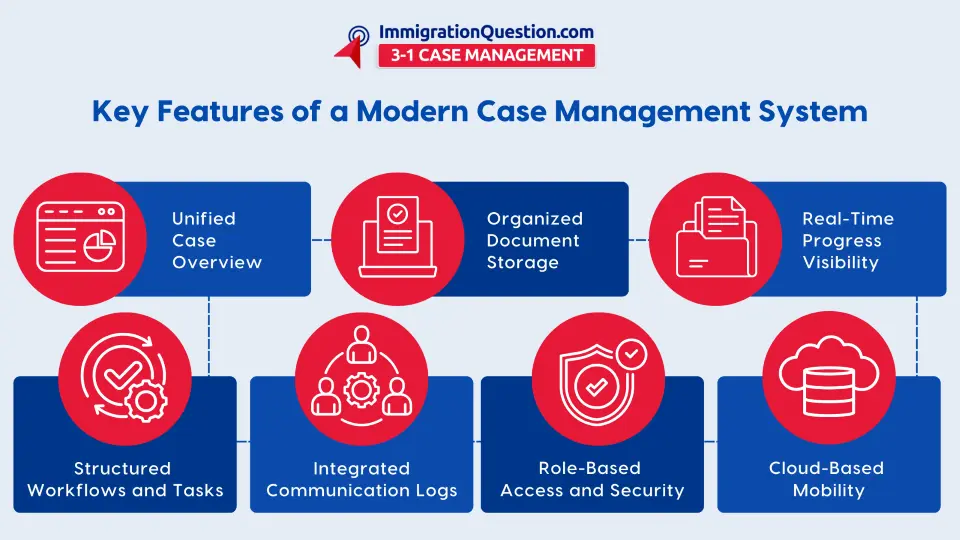
Key Features of a Modern Legal Case Management System
A strong legal case management system supports structured workflows, secure document management, and real-time visibility. Below are the most important features.
Unified Case Overview
Modern systems provide a single dashboard where teams can access case details, deadlines, tasks, notes, and history. This reduces the need to check multiple tools or communication threads and helps teams understand exactly where a case stands.
Organized Document Handling
Document organization is one of the most important functions of a legal case management system. Effective systems include:
- Structured matter folders
- Organized storage
- Tagged documents
- Quick search and retrieval
- Version clarity and timestamps
This ensures teams always work from the correct version of each document and reduces confusion during collaboration.
Clear Task and Workflow Tracking
Workflow automation tools guide work through consistent steps. Automated tasks help ensure that repetitive processes, such as intake, drafting, reviews, and follow-ups, happen on time and in the correct order. This reduces manual work and improves coordination across cases.
Real-Time Progress Visibility
An online case management system should update as work is completed. When deadlines, tasks, and document actions refresh in real time, teams can make decisions faster and maintain stronger alignment. Real-time visibility also reduces communication gaps and missed updates.
Communication Logs and Case-Based Notes
Communication tied directly to the case file prevents confusion and reduces reliance on personal inboxes. Leading systems store calls, emails, messages, and notes inside the case so teams can see the full history of decisions and updates.
Secure Access and Permissions
A strong case management system includes role-based permissions that allow firms to control access to sensitive documents and client information. Secure access supports compliance and protects confidential materials while enabling team members to work efficiently.
Cloud-Based Mobility
Legal professionals need to work across office desktops, laptops, and mobile devices. A cloud-based online case management system makes it easy for teams to load documents, review case information, and complete tasks from anywhere.
How Case Management Systems Compare to Other Legal Tech Tools
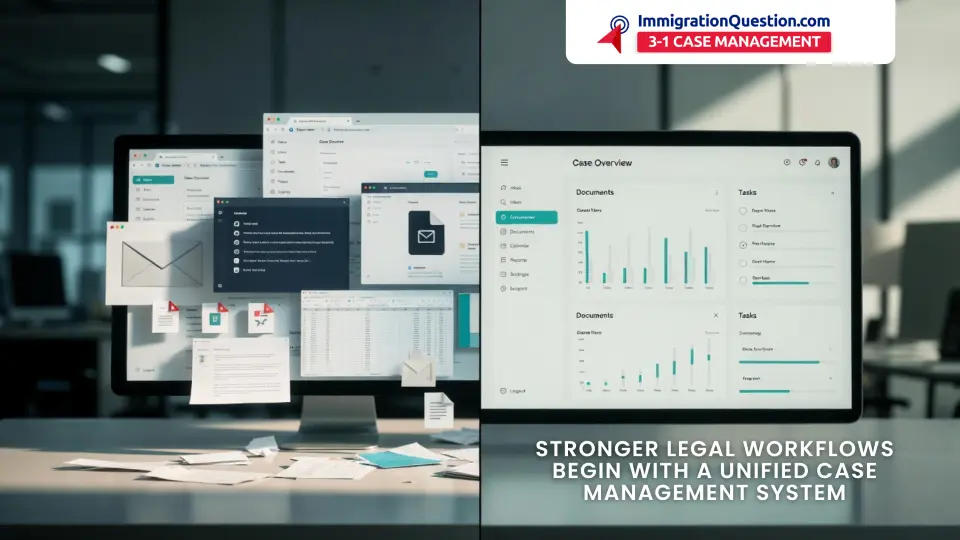
Standalone tools for communication, document storage, or workflow tracking solve only part of the operational challenge. A unified legal case management system combines these functions, reducing tool switching and improving consistency.
Compared to separate tools, a centralized system offers:
- A single place for case records
- Centralized document management
- Streamlined communication
- Integrated workflow structure
- Reduced duplication across apps
- Stronger operational consistency
With everything in one system, teams spend less time coordinating and more time advancing their legal work.
How ImmigrationQuestion.com 3‑in‑1 Case Management Supports These Features
ImmigrationQuestion.com 3‑in‑1 Case Management brings together the core features of a strong case management system in a single, structured platform that supports daily legal operations across teams.
The system reduces duplication across tools by bringing intake, drafting, signing, storage, communication, and deadlines into one centralized workspace.
These capabilities align with the essential requirements of a modern case management system and support clear, efficient workflows for legal teams.
Key Takeaways
- A strong case management system centralizes case information, documents, tasks, and communication.
- Unified dashboards help teams track deadlines and coordinate work smoothly.
- Workflow automation reduces manual tracking and keeps processes consistent.
- Online case management systems support mobility and real-time collaboration.
- Centralized legal case management systems outperform fragmented tools by improving organization and reducing errors.
- ImmigrationQuestion.com 3‑in‑1 Case Management reflects these strengths through unified records, workflow automation, document organization, and integrated communication.
Frequently Asked Questions
1. What is a case management system?
A platform that organizes case information, documents, tasks, and communication in one structured place.
2. Why do law firms need a legal case management system?
It improves organization, reduces errors, and helps teams track deadlines and communication more effectively.
3. What makes an online case management system valuable?
Cloud access, real-time updates, and centralized information help teams work from anywhere.
4. How does workflow automation support legal work?
It reduces manual effort, organizes tasks into predictable steps, and keeps cases moving.
5. How do document management features help case management?
They improve retrieval, support version control, and ensure documents remain aligned with their correct matters.
6. Are case management systems useful for all legal practice areas?
Yes. Any team managing multiple matters benefits from centralized workflows.
7. Does ImmigrationQuestion.com 3‑in‑1 Case Management support unified legal workflows?
Yes. It offers centralized records, real-time updates, workflow structure, and integrated communication to help teams stay aligned.