
Legal work leaves very little room for mistakes. One simple mistake can jeopardize a client’s case and put you in a whole lot of trouble.
That’s where legal workflow automation comes in to reduce errors that occur when work depends on too many systems.
Let’s break it down.
What Is Legal Workflow Automation?
Legal workflow automation is the use of software to organize how legal work moves from start to finish. Tasks are sequenced, responsibilities are assigned, and alerts are triggered.
In practice, workflow management and law firm automation apply to things like:
- Matter and case intake
- Time tracking and billing
- Client communication
- Document preparation and review
- Deadline and compliance tracking
- Approvals and internal sign-offs
Once these steps are automated, you’re no longer relying on memory or manual tools, but smart systems.
Why Errors Happen in Manual Legal Workflows
Most legal errors stem from process gaps.
Manual workflows create risk because they depend on:
- Re-entering the same data multiple times
- Tracking tasks across emails and spreadsheets
- Remembering deadlines without system alerts
- Managing documents without version control
Every manual step is another chance for something to go wrong. Legal process automation reduces those touchpoints, which means fewer mistakes.
Standardized Procedures Reduce Slip-ups
Eliminating Manual Steps
When case information is entered into an automated system, it automatically flows across tasks, documents, and billing.
No repeated typing or mismatched data.
Legal automation tools become the source of truth and prevent avoidable errors.
Consistent Task Sequencing
Without automation, attorneys in a firm handle their matters differently.
But with legal workflow solutions, steps follow a fixed sequence every single time, and consistency is one of the biggest drivers of efficiency in legal practice.
No More Deadline and Compliance Errors
Lawyers juggle multiple deadlines, and manual tracking is inefficient.
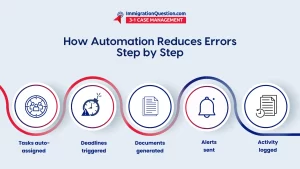
Automated Alerts and Notifications
With legal task automation, deadlines are system-driven.
You get alerts when:
- Deadlines are approaching
- Tasks are overdue
- Key milestones are triggered
This reduces malpractice risk, and it protects your firm’s reputation.
Rule-Based Compliance Checks
Certain tasks can’t proceed unless the rules are met.
Legal workflow automation can automatically enforce filing timelines, response periods, and procedural requirements. This way, errors get caught before they become compliance issues.
Fewer Documentation Errors
Document Automation Systems Reduce Human Mistakes
Manual drafting is error-prone. With document automation systems, templates auto-populate using matter data.
That means:
- Correct names
- Accurate dates
- Consistent language
- Fewer typos
And when version history is tracked, you never have to worry about working from the wrong draft.
Centralized Data Keeps Everything Aligned
When client data resides in a single system, updates flow smoothly.
Change a single detail, and it updates everywhere. That’s how legal automation keeps documents consistent across the firm.
Better Communication
Miscommunication causes errors.
Automated Client and Internal Messaging
With workflow management tools, communication points are built into the process.
Clients get updates when they’re supposed to, teams get notified during handoffs, and messages are logged automatically.
No more forgotten emails.
Centralized Activity Logs
Every task, message, and update lives in one place. This reduces errors caused by lost context or missing information.
Version Control and Audit Trails
Legal workflow automation platforms track:
- Who made changes
- When changes happened
- What was changed
You can see a document’s history, and audit trails support compliance and internal reviews.
No More Billing and Financial Errors
Automated Time Capture
Manual time tracking sometimes misses billable work.
With legal process automation, time entries can be tied directly to tasks, so that nothing is forgotten or under-billed.
Billing Rules Are Enforced Automatically
Automation applies billing rules before invoices go out, such as:
- Discount limits.
- Approval requirements.
- Firm policies.
Faster Onboarding and Fewer Training Errors
New staff struggle when processes are manual, but with law firm automation, workflows are already mapped out.
This way, new hires follow a defined set of steps.
Training is faster and more efficient.
Using Data to Catch Errors Before They Repeat
Some legal tech innovations go a step further by analyzing patterns like:
- Recurring document mistakes.
- Missed steps in certain case types.
- Deadline risks in specific practice areas.
That data helps firms make informed business decisions, such as:
- Improving workflows
- Updating templates
- Targeting training
This is how AI workflow automation starts to change how firms improve over time.
A Practical Way to Reduce Errors in Your Legal Practice
ImmigrationQuestion.com 3-in-1 Case Management features legal automation that reduces workflow errors. It connects intake, case workflows, documents, deadlines, and communication in one system.
If your goal is fewer errors and more control over your legal processes, ImmigrationQuestion.com gives you the automation support to make that happen.
Start a free trial or schedule a demo now.
Frequently Asked Questions
1. What is legal workflow automation?
Legal workflow automation uses software to manage tasks, deadlines, documents, and communication. It reduces reliance on memory and manual tracking.
2. How does legal workflow automation reduce errors?
It removes manual steps, enforces task order, and sends automated reminders. That means fewer missed deadlines, fewer skipped steps, and more consistent outcomes.
3. Can workflow automation help with compliance?
Automated workflows apply rules to filings, deadlines, and approvals, ensuring required steps are completed before a matter moves forward.
4. Does legal automation replace attorneys or staff?
It supports them. Automation handles repeat tasks so attorneys can focus on legal judgment and strategy.
5. Is legal workflow automation only useful for large firms?
No. Small and mid-sized firms also benefit because automation helps them manage volume without adding overhead costs.
6. Which legal processes can be automated?
Intake, document preparation, deadline tracking, client updates, approvals, billing, and internal task assignments are common starting points.