


A judge’s assistant rifles through a stack of paper that has already grown too tall. An attorney hovers the doorway, insisting that a filing was submitted yesterday, yet no trace appears in the system. Somewhere, a printer chugs in vain, producing documents that no one is sure will ever reach their proper place.
The problem goes beyond incompetence. It’s a court stretched thin by too many cases, too many deadlines, and too little structure. In such moments, even routine work feels fragile.
Now imagine a different reality: a system where every case update, every document, every communication flows into a single, secure dashboard. Judges glance at an organized schedule, and clerks retrieve records with a few keystrokes. Attorneys are notified the moment filings arrive.
Reliable court case management software transforms the chaos into clarity, reducing stress and restoring control to every corner of the courtroom.
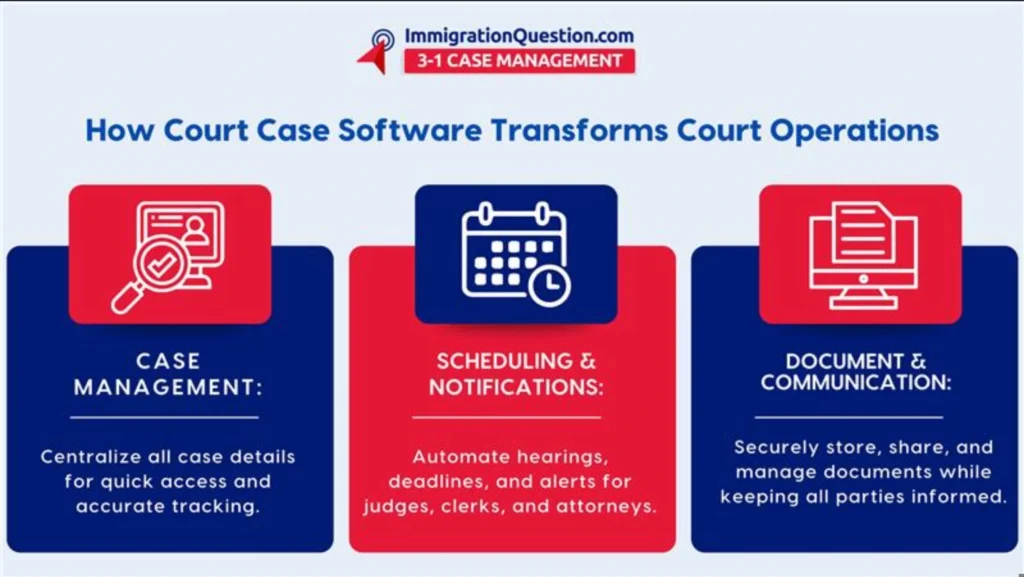
Why Modern Courts Cannot Operate Without Court Case Software
Courts are under relentless pressure. Caseloads expand; motions multiply, and administrative burdens compound. Scattered records across paper files, spreadsheets, and siloed databases breed inefficiencies and frustration.
Without dependable court management software, courts face delays, lost documents, and inconsistent case tracking. A well-implemented court case software solution centralizes case records, filings, schedules, and communications. The benefits are immediate: staff retrieve information instantly, judges review cases efficiently, and attorneys receive timely updates.
Key Challenges Courts Face Without Court Case Software
Disorganized Case Records
Paper files, fragmented databases, and ad hoc filing systems are more than inconvenient; they are a liability.
Staff often spend hours searching for misplaced files, verifying details, or reconstructing missing information. Common frustrations include:
- Misfiled or duplicate documents
- Delayed updates on motions or filings
- Difficulty accessing historical case information
Reliable court case management software consolidates all information in one location, providing instant access for authorized users and reducing administrative stress.
Inefficient Case Scheduling
Court calendars resemble a delicate puzzle: judges, attorneys, witnesses, and staff must all align perfectly.
Manual scheduling or disconnected tools often lead to:
- Double-booked hearings
- Missed deadlines
- Delayed proceedings
- Increased administrative workload
Modern full court case management platforms automate scheduling, track courtroom availability, and send reminders in real time, keeping operations running smoothly.
Limited Communication Between Stakeholders
Courts interact with a wide network: attorneys, clerks, litigants, law enforcement, and administrative staff.
Without centralized court software solutions, communication falters. Consequences include:
- Attorneys missing critical updates
- Delayed filing notifications
- Staff spending hours answering routine questions
A robust court case software platform provides secure communication channels and client portals, keeping all parties informed without manual follow-up.
Increased Risk of Administrative Errors
Paper-based systems and manual entry invite mistakes. A single error – a misfiled document, incorrect date, or missing filing, can cascade into procedural delays or even appeals.
Court management software mitigates these risks by automating repetitive tasks, enforcing accuracy, and creating a reliable audit trail.
Slow Document Processing
Courts process a staggering volume of documents daily: motions, filings, evidence, and orders.
Without a digital backbone, staff face:
- Backlogs in document review
- Slow retrieval of files
- Version control problems
Modern court software solutions streamline document management with searchable databases, secure storage, and automated filing workflows, turning hours of labor into minutes.
How Court Case Management Software Elevates Court Operations
Reliable court case software reshapes court workflows. Clerks, judges, and attorneys can manage cases without juggling stacks of paper, disparate systems, or endless email chains.
Key advantages include:
Centralized Case Information
Every case detail, document, and communication resides in a secure, accessible location. Staff can retrieve records instantly, and judges can review cases.
Automated Workflows
Routine administrative tasks: case status updates, deadline tracking, document notifications, hearing reminders become automatic. Staff can focus on substantive work rather than repetitive chores.
Real-Time Case Tracking
Full court case management allows administrators to monitor case progress from filing to resolution. Transparency improves accountability and prevents unnecessary delays.
Secure Document Management
Court software solutions offer structured digital storage, safeguarding sensitive information while granting access to authorized users. Key features often include:
- Encrypted storage
- Version control
- Audit trails
- Secure file sharing
Enhanced Public Access and Transparency
Many systems include online portals where attorneys and litigants can review case updates, upload documents, and receive notifications. These tools reduce inquiries and improve public confidence.
Key Features of Effective Court Case Management Software
To meet modern court demands, software should cover the full spectrum of administrative and judicial needs.
Case Management Dashboard
Displays active cases, upcoming hearings, deadlines, and recent updates in a single, accessible interface.
Document Management System
Provides secure storage with robust search functionality, version tracking, and easy retrieval.
Automated Scheduling Tools
Integrates calendars, tracks deadlines, and manages courtroom availability automatically.
Secure Client and Attorney Portals
Offers controlled access for attorneys and litigants, reducing manual communication and increasing efficiency.
Reporting And Analytics
Generates insights on caseload trends, case duration, and workflow efficiency to guide administrative decisions.
Step-By-Step Guide to Implementing Court Software
Transitioning to digital case management requires careful planning:
Step 1: Evaluate Current Processes
Identify bottlenecks in scheduling, document retrieval, and communication. Understanding the pain points guides software selection.
Step 2: Choose The Right Court Software Solutions
Select a platform designed for full court case management that can handle case tracking, document management, and automated workflows.
Step 3: Migrate Existing Data
Digitize historical records to maintain continuity. Proper data migration preserves institutional memory and ensures accessibility.
Step 4: Train Staff and Administrators
Hands-on training helps staff understand daily usage, creating confidence, and promoting adoption.
Step 5: Monitor And Optimize
Gather feedback, track usage, and refine workflows to maximize efficiency and value from the software.
Traditional Systems Vs. Modern Court Software
| Traditional Systems | Modern Court Software |
| Paper-based records | Secure digital storage |
| Manual scheduling | Automated calendar management |
| Disconnected communication | Centralized messaging and portals |
| Slow retrieval | Instant search and access |
| Higher error rates | Automated accuracy and audit trails |
Best Practices for Successful Adoption
- Involve staff early in selecting software
- Provide thorough, hands-on training
- Start with pilot programs before full rollout
- Maintain ongoing technical support
- Continuously review and refine workflows
Empowered staff are confident users, making adoption smooth and sustainable.
Modern Courts Deserve Modern Tools
Increasing caseloads, administrative pressure, and public expectations demand smarter solutions.
Without court case management software, courts risk inefficiency, errors, and unnecessary delays. With it, they gain clarity, speed, and reliability.
Schedule a free demo to see how ImmigrationQuestion.com 3-1 Case Management can transform your court’s case management workflow and bring order to every stage of the legal process.
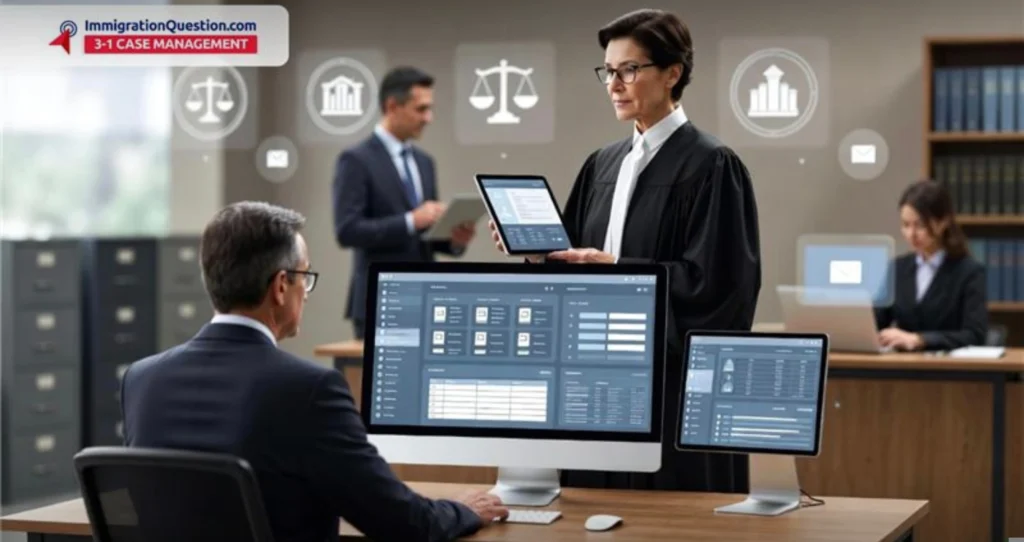
Frequently Asked Questions
What is court case management software?
Court case management software is a digital system that centralizes case records, documents, schedules, and communications into one secure platform. It helps courts and legal professionals manage cases more efficiently and with fewer errors.
How Does Court Software Improve Court Efficiency?
By automating routine tasks, centralizing case information, and providing real-time access to calendars and filings, court software reduces manual work and helps courts handle caseloads more quickly and accurately.
What features should I look for in court management software?
Key features include centralized case tracking, document management, automated scheduling, secure portals for stakeholders, and reporting tools that help streamline workflows and improve transparency.
Is Court Case Management Software Available in The Cloud?
Yes. Many modern court software solutions are cloud-based, giving courts scalable, remote access to case data without the need for extensive on‑premises infrastructure.
Can Court Software Help Reduce Errors And Missed Deadlines?
Yes. By providing automated reminders, centralized records, and accurate case tracking, court software significantly lowers the chances of filing errors, missed hearings, or other administrative oversights.