

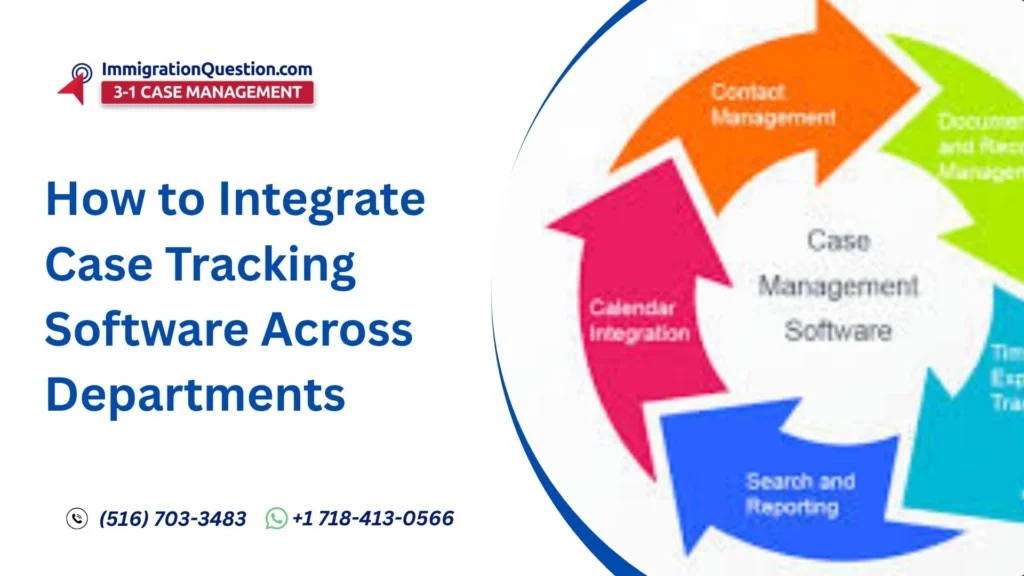
Integrating case tracking across departments is becoming a key priority for firms aiming to improve coordination, reduce delays, and maintain consistency in operations. When you work with legal management solutions, the real value comes from how well these systems connect across teams.
Many firms adopt legal management softwares for individual departments, but without proper integration, information gaps can still exist. A structured approach helps align teams, streamline workflows, and improve overall visibility without creating unnecessary complexity.
Understand Departmental Needs First
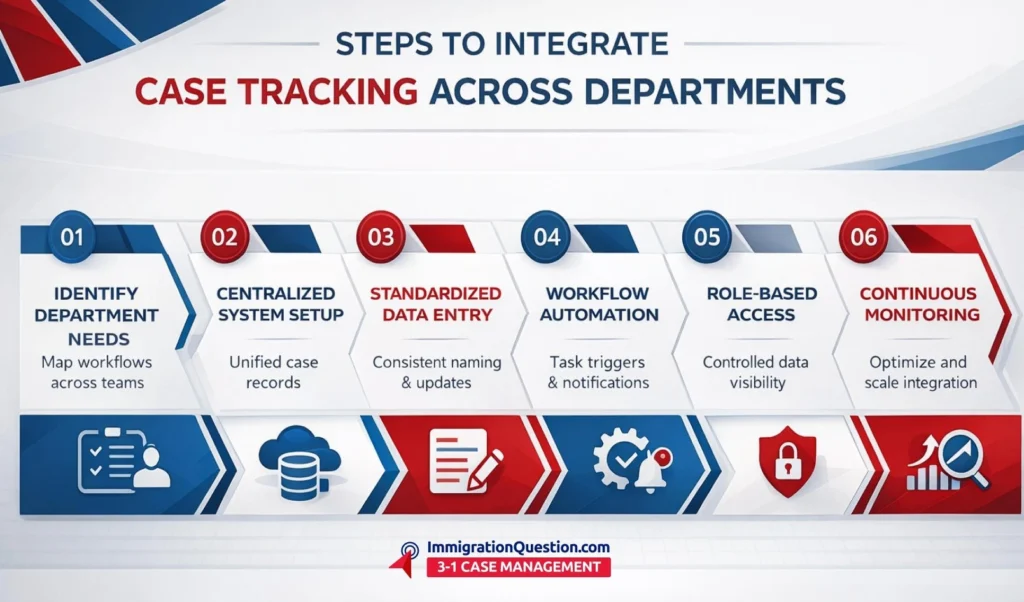
Before integrating any system, it is important to map how each department currently handles case data.
Different teams may use legal automation tools in different ways:
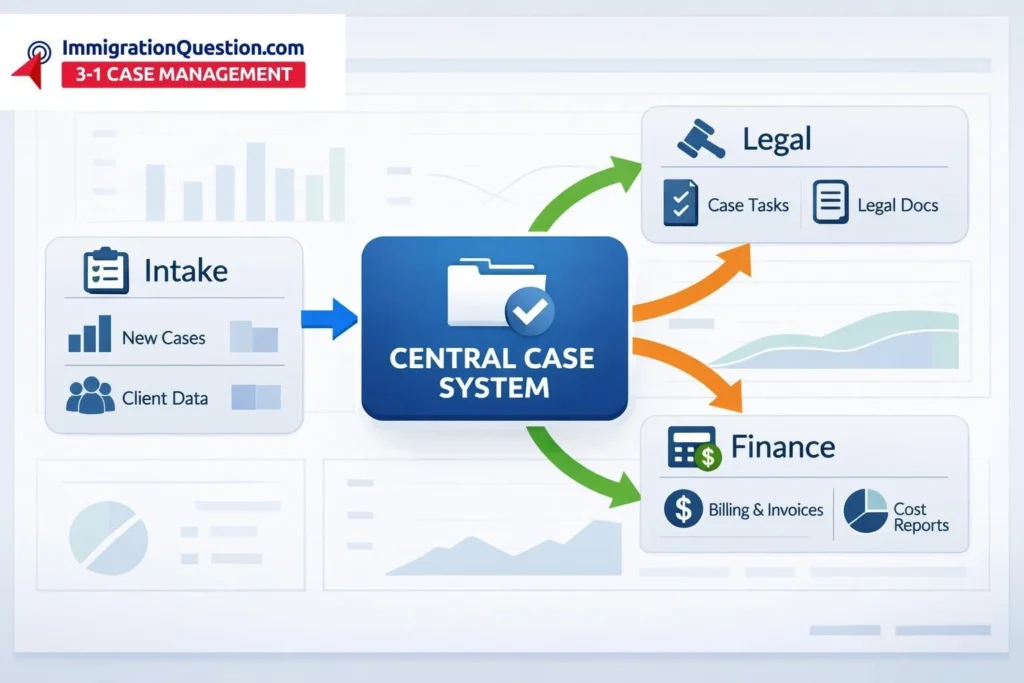
- Intake teams focus on collecting user information
- Case managers track progress and documentation
- Finance teams handle billing and records
- Administrative staff manage communication updates
By identifying these workflows, you can better align your practice management software with real operational needs instead of forcing a one-size-fits-all setup.
Choose a Centralized System Architecture
A centralized system acts as the backbone of integration. Instead of maintaining separate data silos, all departments should connect to a shared platform.
Key benefits include:
- Unified case records accessible across departments
- Reduced duplication of data entry
- Consistent updates in real time
- Improved collaboration between teams
Modern law firm software often supports centralized dashboards that allow multiple departments to work within the same environment while maintaining role-based access.
Standardize Data Entry and Naming Conventions
One of the most overlooked aspects of integration is inconsistency in data entry. Without standardization, even advanced legal management solutions can become difficult to manage.
Set clear internal guidelines for:
- Naming case files and documents
- Entering user details and identifiers
- Updating case status fields
- Tagging and categorizing cases
This ensures that your law practice software remains organized and searchable across departments.
Automate Routine Workflows
Automation plays a key role in successful integration. Instead of relying on manual updates, use legal automation tools to create structured workflows.
Examples include:
- Automatic case assignment to relevant departments
- Status updates triggered by document uploads
- Notifications for pending actions
- Deadline reminders across teams
Automation helps maintain consistency while reducing the chances of missed updates or delays.
Enable Role-Based Access and Permissions
Not every department needs access to all information. A well-integrated system should provide controlled visibility.
With practice management software, you can:
- Restrict access based on roles
- Allow departments to view only relevant case details
- Maintain confidentiality where required
This approach supports both efficiency and data protection without disrupting collaboration.
Integrate Communication Channels
Communication gaps often slow down case progress. Integrating communication within your law firm software helps ensure that updates are visible to all relevant teams.
Consider:
- Internal messaging linked to case files
- Shared notes and activity logs
- Email integration for tracking correspondence
This reduces reliance on external communication platforms and keeps all interactions connected to the case record.
Train Teams Across Departments
Even the most advanced legal management solutions require proper onboarding. Each department should understand how the system works within the broader workflow.
Training should cover:
- How to update case statuses
- How to access shared information
- How automation flows work
- How to avoid duplicate entries
Regular refresher sessions can help maintain consistency as teams grow or processes evolve.
Monitor and Improve Integration
Integration is not a one-time setup. Continuous monitoring helps identify gaps and improve workflows over time.
Track:
- Delays in case updates
- Duplicate or missing data
- Communication breakdowns
- Workflow bottlenecks
Feedback from different departments can help refine how your law practice software is used in daily operations.
Start Small and Scale Gradually
Instead of integrating everything at once, begin with a few departments and expand gradually.
A phased approach allows you to:
- Test workflows in real scenarios
- Identify issues early
- Adjust configurations before scaling
This makes the transition smoother and reduces disruption across teams.
Bring Your Departments Together with Smarter Case Management
If you are looking to simplify cross-department coordination and improve visibility, adopting a unified system can make a meaningful difference. ImmigrationQuestion.com 3-in-1 Case Management aims to support firms by bringing communication, tracking, and workflow management into a single environment.
FAQs
- What is the main benefit of integrating case tracking across departments?
It improves coordination by allowing all teams to access updated case information in one place.
- How does practice management software support integration?
It provides a centralized platform where different departments can manage and track cases with shared visibility.
- Are legal automation tools necessary for integration?
They are helpful for reducing manual work and keeping workflows consistent across departments.
- How can firms avoid data duplication during integration?
By standardizing data entry formats and using a centralized system for all case updates.
- Is training required when implementing law firm software?
Yes, training helps teams understand workflows and use the system effectively across departments.