Managing documents efficiently is a critical part of any professional office. For law firms, immigration consultants, or businesses dealing with large volumes of client records, the way documents are stored, accessed, and shared directly affects productivity and operational costs.
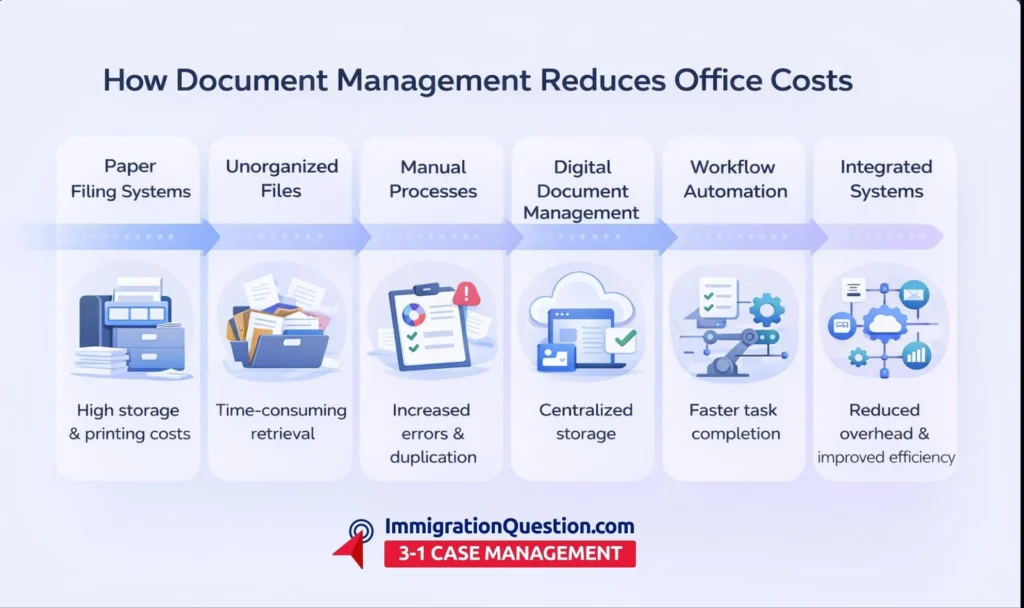
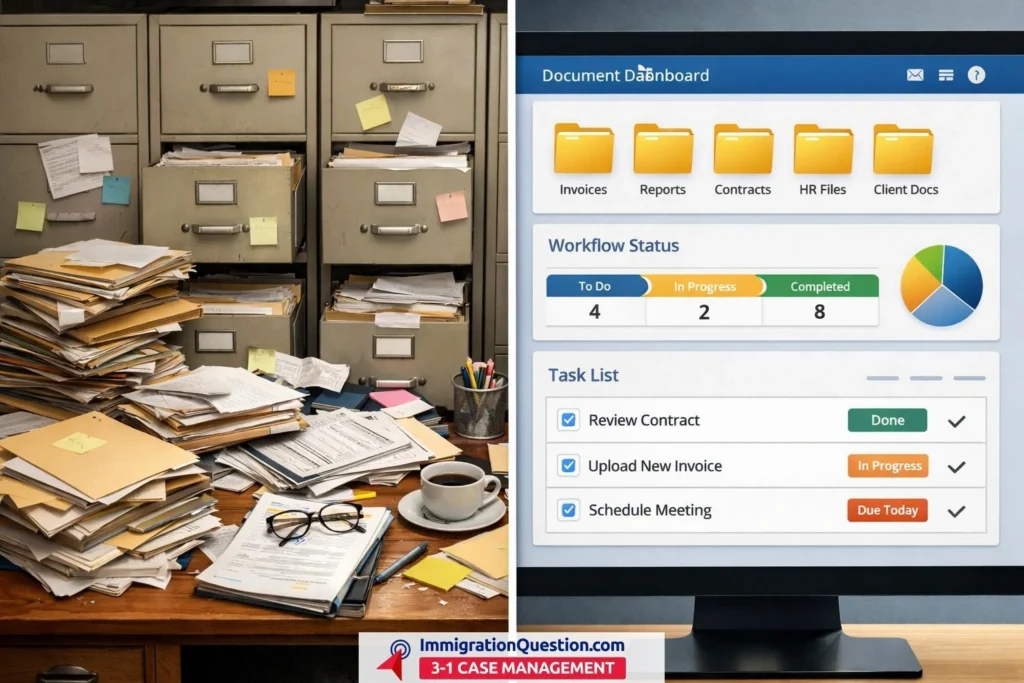
Traditional paper-based filing or unorganized digital folders can slow processes, create duplication, and increase overhead. Document management solutions can help offices streamline operations, reduce errors, and save both time and resources.
Challenges of Traditional Document Handling
Even in offices with skilled staff, managing documents manually creates several challenges:
- Excessive storage costs
Maintaining paper files requires physical space, filing cabinets, and sometimes off-site storage. As the volume of documents grow, these costs multiply. - Time-consuming retrieval
Searching through cabinets or unorganized folders takes significant staff hours, delaying case processing or client communications. - Duplication and version confusion
Multiple versions of the same document, scattered across emails or shared drives, can lead to errors or inconsistent information being used. - Security and compliance risks
Paper documents are susceptible to loss, damage, or unauthorized access. For offices handling sensitive client information, this increases liability risks. - Limited collaboration
When team members cannot access the most current files simultaneously, productivity slows, and miscommunications become more frequent.
How Document Management Solutions Help Reduce Overhead
Modern document management solutions combine features of case organization software, task management software, and workflow management software. They centralize operations and automate repetitive tasks, significantly cutting office overhead.
- Centralized document storage
Instead of multiple filing cabinets or scattered drives, all case-related documents are stored in a single digital repository. Team members can search, retrieve, and update files quickly, reducing wasted hours. - Automated version control
Document management software tracks changes, keeping the latest version accessible and preserving previous versions for reference. This eliminates duplication, reduces errors, and ensures consistency. - Integrated task and project management
Many platforms include features of project management software, allowing users to assign document-related tasks, track progress, and set reminders. Staff can focus on completing tasks efficiently rather than tracking paperwork manually. - Secure access and permission control
Access permissions can be customized, ensuring only authorized team members can view or edit sensitive documents. This improves security and helps offices align with privacy standards without adding administrative overhead. - Streamlined workflow
Workflow management software integrates with document storage to automate routine processes. For example, client intake forms can automatically move through review, approval, and filing stages without manual handoffs, saving time and reducing errors.
Additional Advantages for Offices
Beyond cost savings, document management solutions provide operational advantages:
- Reduced printing and paper costs
Digitizing documents lowers the need for printing, copying, and storing paper files, creating immediate savings on office supplies and physical space. - Improved accountability and oversight
Activity logs and dashboards allow managers to track who accessed or updated documents. This clarity reduces miscommunications and increases staff accountability. - Remote access and collaboration
Cloud-based systems enable team members to access documents from anywhere. Collaboration between remote staff or multiple office locations becomes seamless, eliminating delays caused by manual transfers. - Faster case handling
Integrating document management with case tracking software ensures that all relevant files are associated with specific cases. Teams spend less time searching and more time advancing work, which can indirectly reduce administrative overhead. - Data-driven insights
Reporting features can highlight bottlenecks, task completion rates, and document usage patterns. These insights support better planning and resource allocation, further reducing unnecessary costs.
Combining Document Management with Case Tracking
When offices integrate document management solutions with case tracking software, project management software, and workflow management software, overhead reduction multiplies:
- Seamless case organization
Case tracking software links documents to specific cases, automatically updating statuses as tasks are completed. Staff spend less time coordinating files and more time advancing work. - Efficient task assignment
Project management software capabilities allow teams to assign tasks related to document review, submission, or approval. Managers can monitor task progress and reassign responsibilities if needed. - Structured workflows
Workflow management software ensures that each document moves through the necessary steps in the correct sequence. Automation eliminates repetitive manual checks and reduces human errors.
Real-World Application
Consider an office handling immigration documentation. Before implementing document management software, staff may spend hours locating client forms, tracking submission deadlines, and following up with team members. Once digital solutions are implemented:
- All client files are stored centrally, with version histories for forms and petitions.
- Automated workflows alert staff to pending tasks, deadlines, or required approvals.
- Remote staff can access documents securely and collaborate without printing or emailing multiple versions.
The result is reduced operational time, fewer mistakes, and lower overhead costs, all while improving service quality and internal efficiency.
Get the Right Result with the Right Tool
For firms seeking a consolidated approach to document management, case tracking, and workflow management, ImmigrationQuestion.com 3-in-1 Case Management offers a platform designed to streamline operations.
It centralizes document storage, task tracking, and workflow automation in a single environment. Teams can collaborate seamlessly, reduce errors, and cut office overhead, all while maintaining clarity across every case. Explore the platform today to see how modern document management solutions can optimize your office operations.
Frequently Asked Questions
What is a document management solution?
A document management solution is software that stores, organizes, and tracks documents digitally. It may integrate with case tracking and workflow systems to streamline office operations.
How does it reduce office overhead?
By centralizing storage, automating processes, and minimizing duplication, document management software cuts costs related to printing, storage, and manual tracking.
Is it suitable for small offices or solo practitioners?
Yes. Many solutions scale to fit teams of any size, offering similar benefits for small offices as for larger organizations.
Does it improve team collaboration?
Yes. Digital access, shared dashboards, and real-time updates ensure staff work alongside each other efficiently, even across different locations.